
Set up online payments
Connect your own Stripe account once, and customers can pay your invoices online from Accounting, Inventory, CRM and Subscriptions.
Online payments work on every plan. The money goes to your own Stripe account and then to your bank, as usual. Ellibo never holds your money.
Customers can pay by card, Apple Pay and Google Pay, in your own currency.
Before you start
- A Stripe account for your business. Sign up on their website if you don't have one.
- You must be an admin of the business in Ellibo.
Connect
- Open Integrations: in Accounting, Inventory, CRM or Subscriptions, go to Settings › Integrations.
- In the Stripe Dashboard, open Developers › API keys and copy the Secret key. Use Test mode first to try it. A restricted key needs Checkout Sessions (write) and the account (read).
- In Ellibo, paste the Secret key.
- Optional: the Webhook secret.
- Under Payments go into, keep Stripe Clearing (recommended).
- Click Connect Stripe.
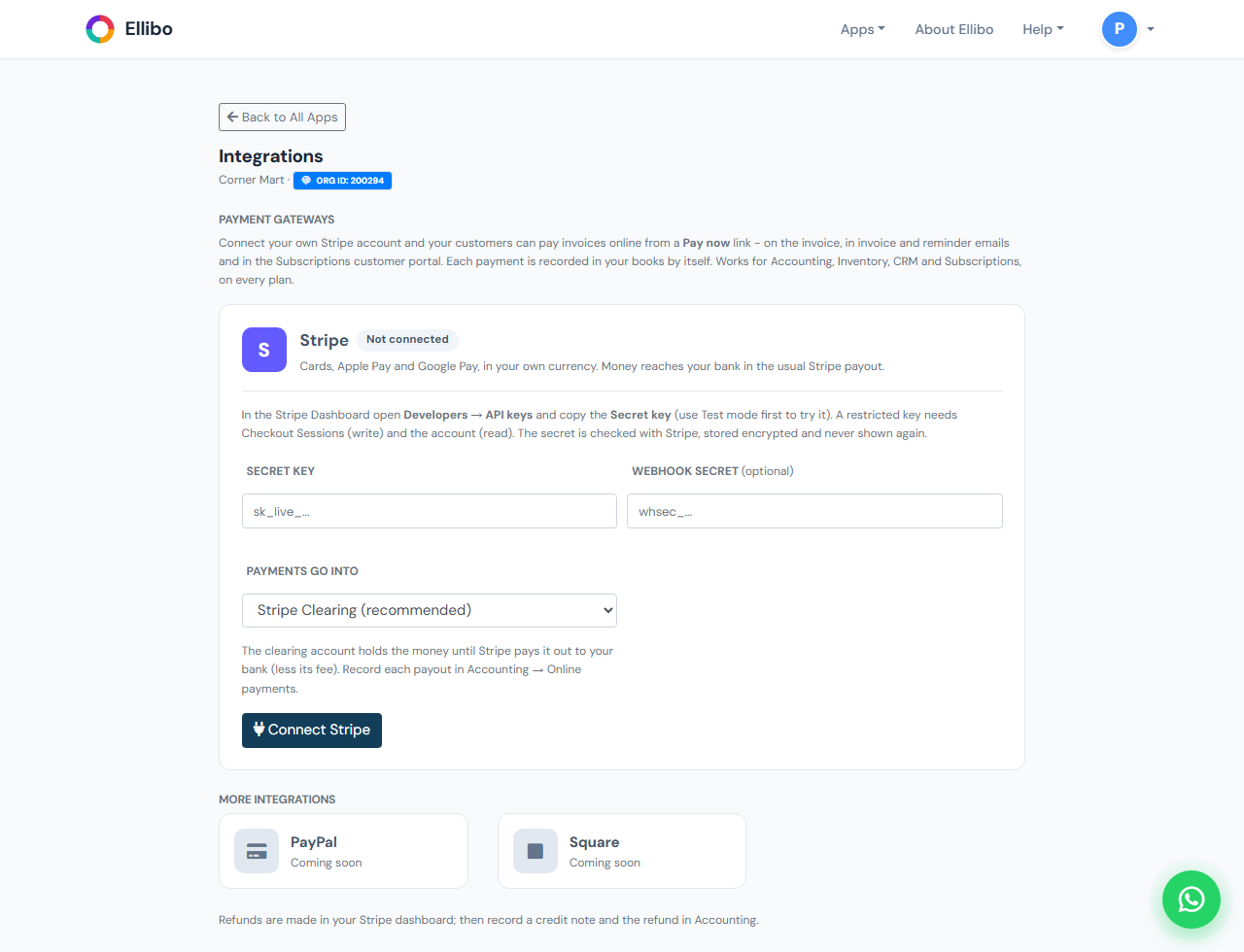
The secret is checked with Stripe, stored encrypted, and never shown again. To change it later, click Update keys or settings.