
Create a subscription
Put a customer on a plan. Ellibo makes the first invoice and every renewal after it, on time.
Create it
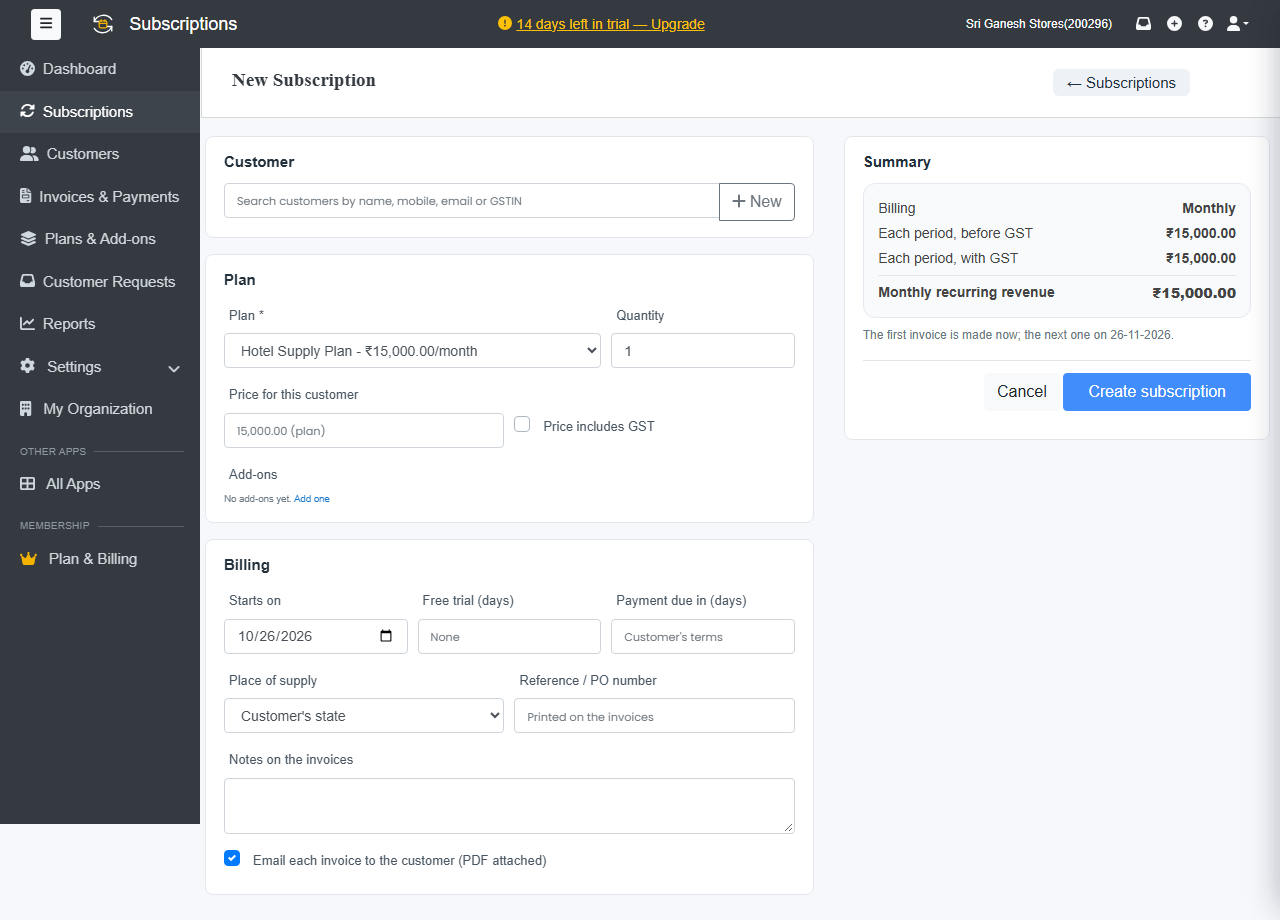
- Click + New Subscription on the Dashboard or the Subscriptions page.
- Under Customer, search by name, mobile, email or GSTIN. New customer? Click + New.
- Under Plan, choose the Plan and the Quantity.
- Optional: a special Price for this customer, and Add-ons.
Under Billing:
- Starts on: today, or a later date.
- Free trial (days)
- Payment due in (days): blank uses the customer's terms.
- Reference / PO number and Notes on the invoices
- Email each invoice to the customer (PDF attached)
- Check the Summary: what's billed each period before and with tax, the monthly recurring revenue, and when the first and next invoices are made.
- Click Create subscription.
What happens next
- Starting today: the first invoice is made now.
- Starting later: the subscription is Future until its start date.
- With a trial: the subscription is on Trial, and the first invoice is made when the trial ends.
After that, Ellibo makes each renewal invoice on its date, and emails it if you chose that.
The subscription page
Open a subscription to see its status, monthly recurring revenue, what's due now, the current period and next invoice, its invoices and credit notes, and its full History.
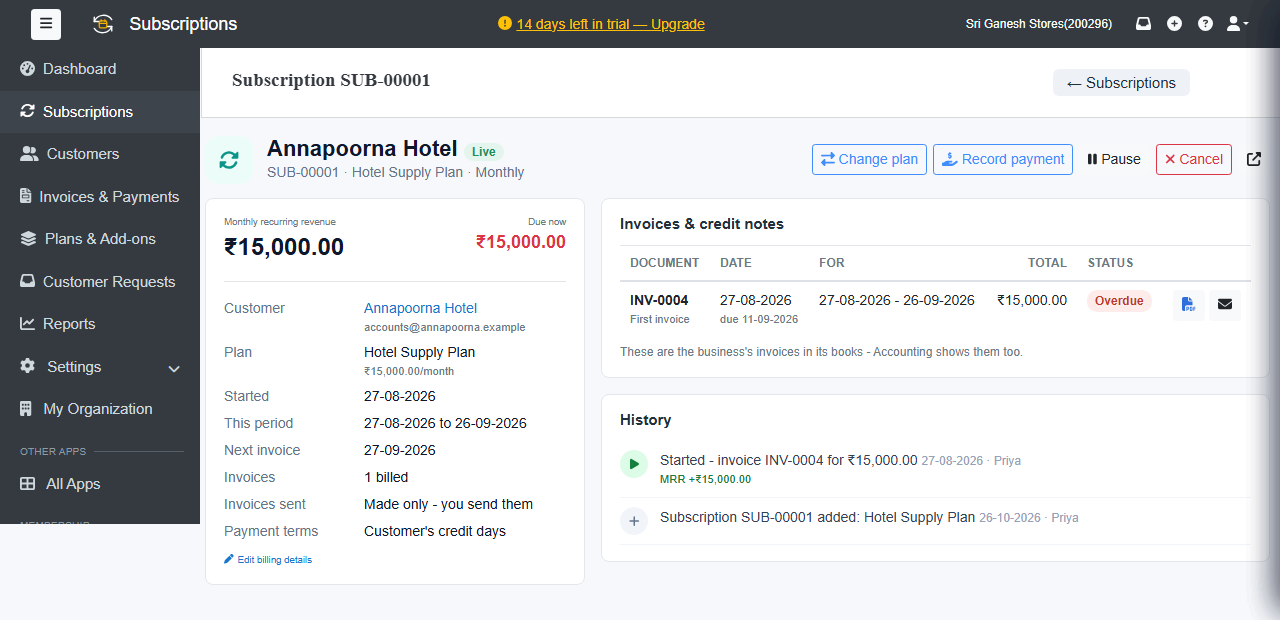
Statuses: Future, Trial, Live, Paused, Unpaid, Non renewing (cancelled at the end of the period), Cancelled and Expired.