
Billing preferences and settings
When invoices are due, whether they're emailed, how plan changes are charged, when reminders go out, and what customers can do in the portal.
Go to Settings › Business settings. The Billing preferences tab sets how billing works. Click Save preferences when you're done.
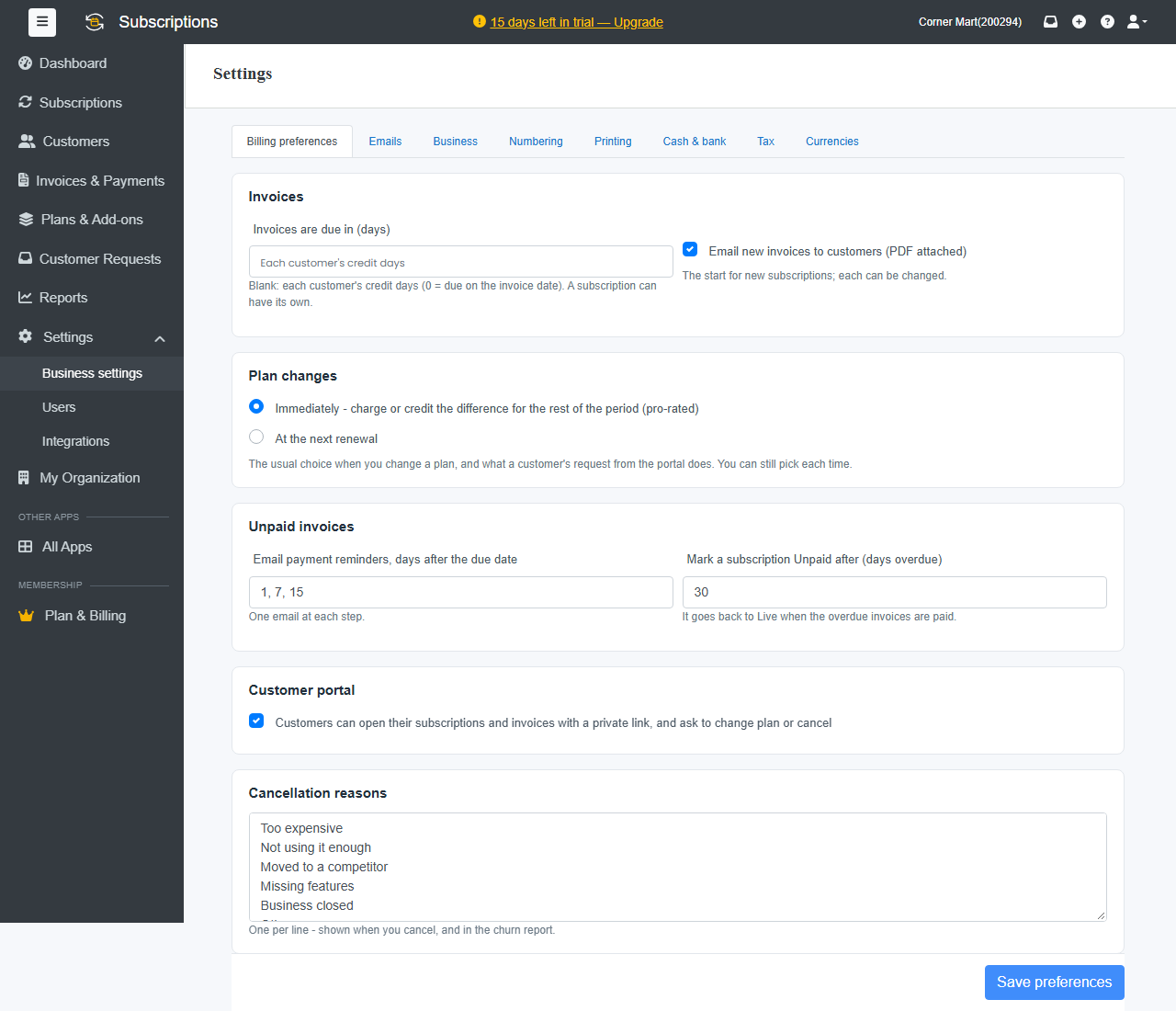
Invoices
- Invoices are due in (days): leave it blank to use each customer's credit days, or enter 0 for due on the invoice date. Each subscription can have its own terms.
- Email new invoices to customers (PDF attached): the starting choice for new subscriptions. You can change it on each one.
Billing
- Calendar billing: monthly subscriptions renew on the same day of the month, for example the 1st. The first invoice runs from the start date to that day and is pro-rated by days; after that each invoice is a full month. It applies to new subscriptions on monthly plans, and each can opt out on the subscription form. Standard plan and above.
- One invoice per customer: when a customer has several subscriptions renewing on the same day, they come on one invoice, each line marked with its subscription number. They need the same payment terms, place of supply, and email and automatic payment settings. Subscription boxes keep their own invoices. Professional plan and above.
- Approve invoices before they go: renewals, trial ends and resumes wait on the Approve Invoices page instead of being invoiced each hour. Nothing is invoiced, emailed or charged until you approve it. Subscriptions that end on their date still end by themselves. Professional plan and above.
- Use the customer's unused credit on new invoices: credit notes and advance payments settle new subscription invoices by themselves. Otherwise apply them from the customer's page. See Credits and refunds.
Plan changes
When a subscription moves to another plan:
- Immediately: charge or credit the difference for the rest of the period (pro-rated).
- At the next renewal: the new plan starts from the next invoice.
This is the usual choice. You can still pick each time, and it's what a customer's request from the portal does.
Unpaid invoices
- Email payment reminders, days after the due date: for example 1, 7, 15 sends one email at each step.
- Mark a subscription Unpaid after (days overdue): it goes back to Live when the overdue invoices are paid.
Payment reminders in steps are part of the Professional plan and above.
Customer portal
Tick Customers can open their subscriptions and invoices with a private link, and ask to change plan or cancel. See Customer portal and requests.
Cancellation reasons
One reason per line, such as Too expensive or Not using it enough. They're offered when you cancel a subscription, and they appear in the Churn report.
Other tabs
Emails (the wording of invoice and reminder emails, with placeholders), Business, Numbering, Printing, Cash & bank, Tax and Currencies.