
Inventory settings
Turn on the features you need, choose how stock moves, and set up warehouses, numbering, custom fields and printing.
Go to Settings › Business settings. The page has tabs. Each tab has its own Save button.
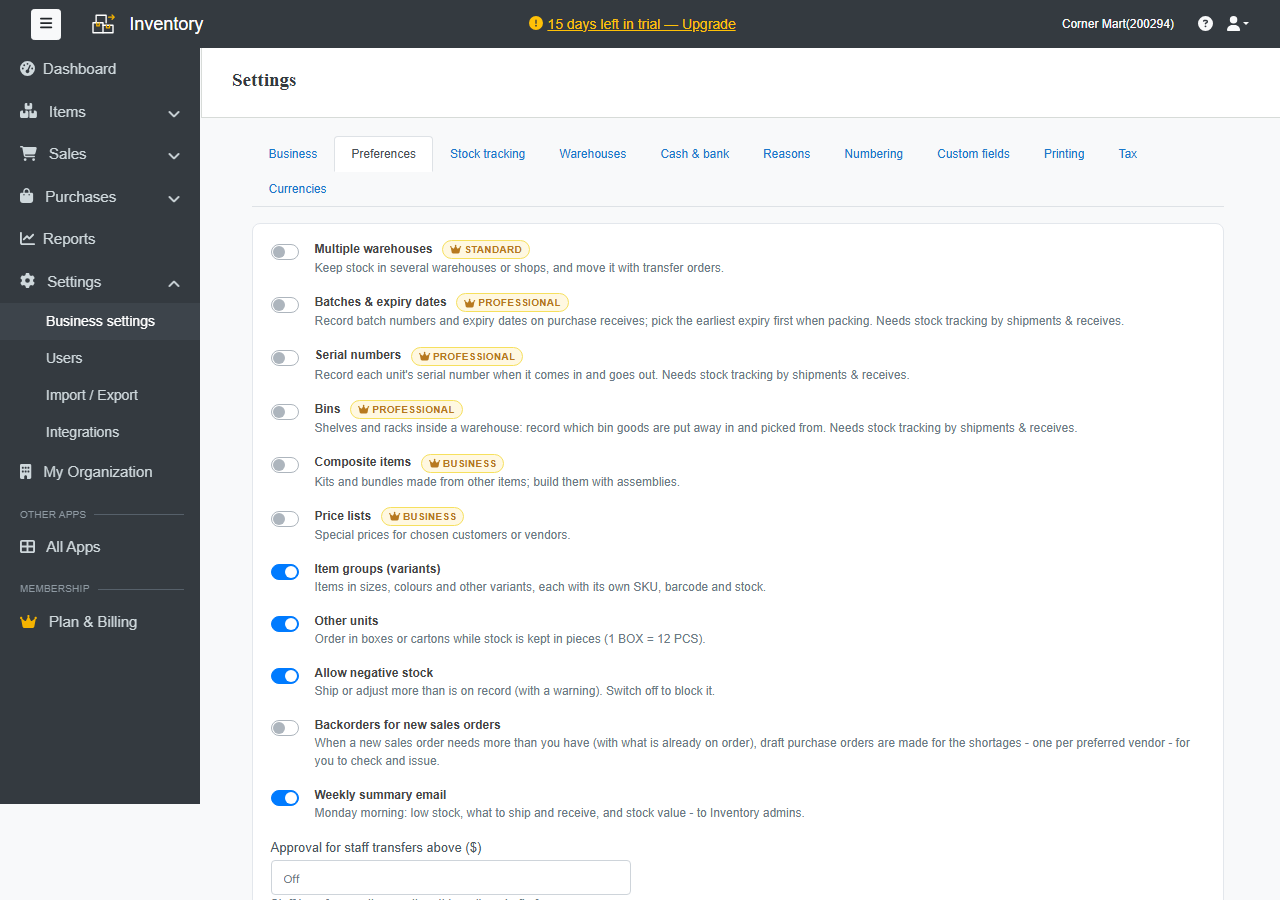
Preferences: turn features on
Switch on only what your business needs, so the screens stay simple:
| Feature | What it does | Plan |
|---|---|---|
| Multiple warehouses | Keep stock in several warehouses or shops, and move it with transfer orders. | Standard |
| Batches & expiry dates | Record batch numbers and expiry dates on receives, and pick the earliest expiry first when packing. | Professional |
| Serial numbers | Record each unit's serial number when it comes in and goes out. | Professional |
| Bins | Shelves and racks inside a warehouse, with put-away rules. | Professional |
| Composite items | Kits and bundles made from other items, built with assemblies. | Business |
| Price lists | Special prices for chosen customers or vendors. | Business |
| Item groups (variants) | Items in sizes, colours and other variants, each with its own SKU, barcode and stock. | All plans |
| Other units | Order in boxes or cartons while stock is kept in pieces (1 BOX = 12 PCS). | All plans |
| Allow negative stock | Ship or adjust more than is on record, with a warning. Switch it off to block it. | All plans |
| Backorders for new sales orders | Draft purchase orders are made for shortages. See Dropship and backorders. | All plans |
| Weekly summary email | Monday morning: low stock, what to ship and receive, and stock value. | All plans |
The same tab sets approvals for orders, invoices and transfers.
Stock tracking: how stock moves
Choose when stock goes out and comes in:
- Invoices & bills: invoices take stock out and bills bring it in. Packages, shipments and receives are for tracking only. This suits most small businesses.
- Shipments & purchase receives: stock leaves when goods are shipped and arrives when they're received, even before the invoice or bill. Needed for batches and serial numbers.
Pick a From date. Documents before that date keep their old stock effect.
Under Goods on delivery challans, choose whether goods sent on a challan Stay in stock, reserved or Leave stock with the challan.
Changing how stock moves re-applies the rule to every document from the date you choose, so past stock figures may change. Do it at a quiet moment, ideally at the start of a month.
Other tabs
- Business: name, address, contact details, tax registration, logo and terms.
- Warehouses: your warehouses and their addresses.
- Cash & bank: the accounts payments go into and come out of.
- Reasons: the reasons offered for adjustments and returns, such as Damaged.
- Numbering: prefixes and next numbers for each kind of document.
- Custom fields: extra fields on items, customers, vendors and documents. The Free plan includes 5 and Standard 20.
- Printing: paper size, orientation and what documents show.
- Tax and Currencies