
Cash, bank accounts and cheques
Add your bank accounts, move money between accounts, and track cheques until they clear.
Add a bank account
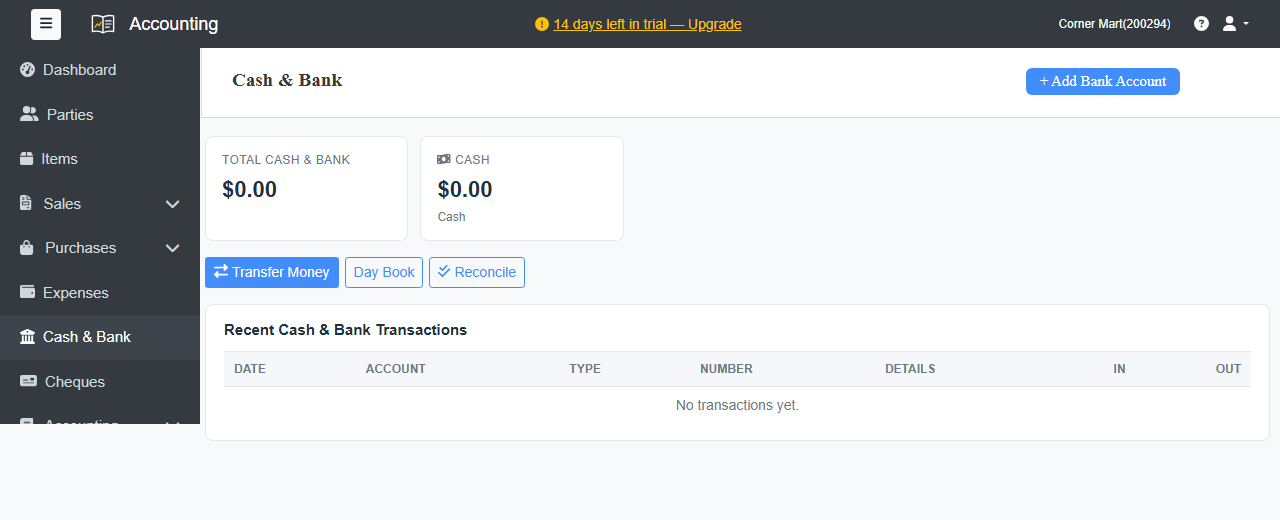
- Go to Cash & Bank and click + Add Bank Account.
- Enter the Account Name, and optionally the Bank Name, Account Number and Branch.
- Enter the Opening Balance: the balance on your books start date.
- Click Save Account.
The account appears on the Cash & Bank page with its balance. You can choose it whenever money comes in or goes out.
Move money between accounts
Click Transfer Money to record money moved between accounts, for example cash deposited in the bank or a withdrawal.
See every transaction
- Recent Cash & Bank Transactions on the Cash & Bank page lists the latest money in and out.
- Click an account to see its full ledger.
- Day Book lists every transaction, day by day.
Cheques
Payments in or out with the mode Cheque are listed under Cheques, with totals for Received, not cleared and Issued, not cleared. Mark each cheque as cleared when the bank clears it, or as bounced. Filter the list by Status (open, cleared or bounced) and Type.
Reconcile with your bank statement
Click Reconcile to match your books with the bank's statement. See Bank reconciliation.