
Cash registers (several drawers)
Give each cash drawer its own register, for example one at the bar and one in the garden. Each cashier opens and closes their own register, and Day Close adds them up.
Use registers when you have more than one cash drawer. If you have one drawer, you don't need them. See Open and close the day.
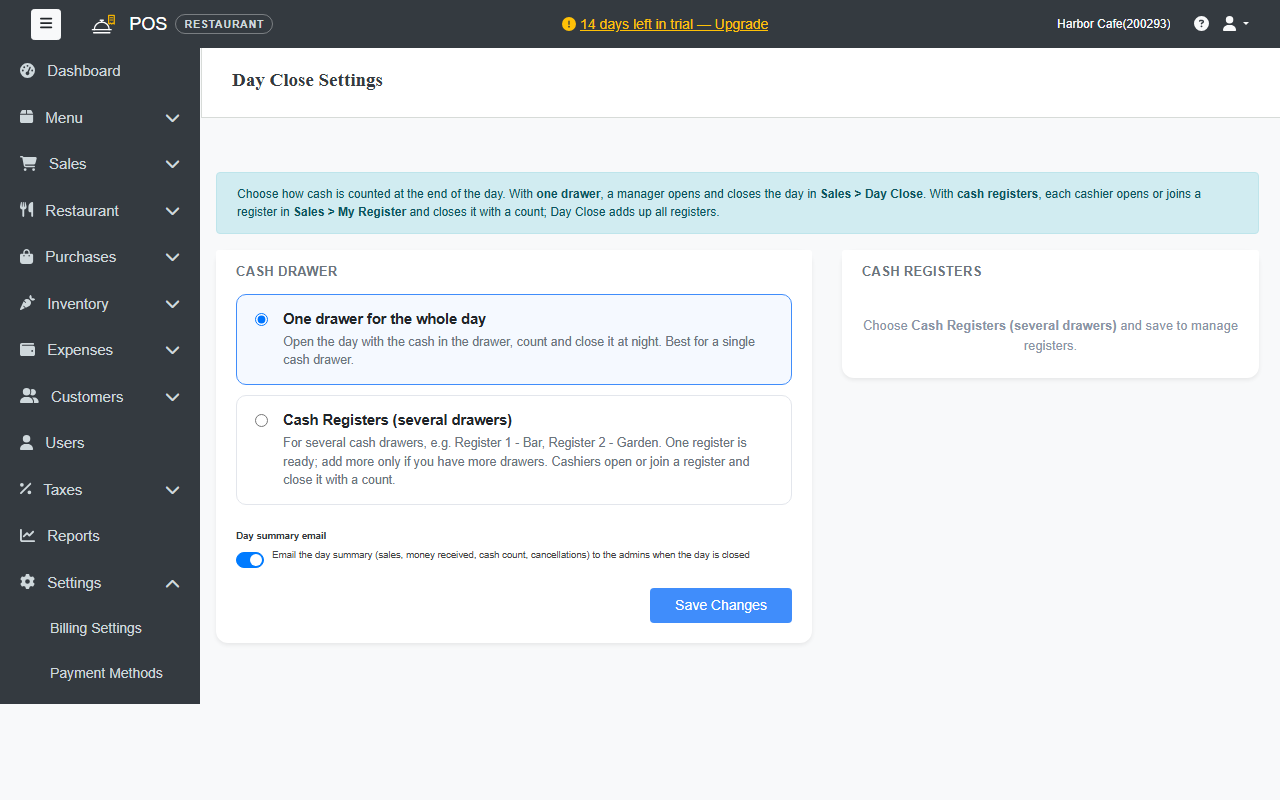
Turn on registers
- Go to Settings › Day Close Settings.
- Under Cash Drawer, choose Cash Registers (several drawers) and click Save Changes.
- Under Cash Registers, one register is ready. To add another, enter its Register name, for example Register 2 - Bar, and click Add a register.
The number of registers depends on your plan. The Free plan has 1, Standard 2, Professional 5 and Business unlimited.
Register rules
- Blind count: staff count the drawer without seeing the expected cash or the difference. Managers still see everything.
- Closing the day while a register is still open: choose Warn, but allow or Do not allow.
For cashiers: My Register
With registers on, each cashier works from Sales › My Register:
- Open Register: pick the register and enter the Opening cash in the drawer. If someone has already opened it, join it instead.
- Bill as usual. Cash payments count toward your register.
- At the end of the shift, click Close Register and count the drawer.
Click Leave to stop working on a register without closing it, for example at a shift change.
For managers: Day Close
Sales › Day Close shows every register: who opened it, its cash, and its count. When all registers are closed, close the day as usual. The day's figures are the total of all registers.