
Open and close the day
Start each day with the cash in the drawer, record cash paid out, then count the drawer at night. Day Close shows what should be there and any difference.
Day Close keeps your cash honest. You open the day with the cash in the drawer. POS adds every cash payment and takes off cash paid out. At the end you count the drawer and see the difference straight away.
This guide covers one drawer for the whole day, the default. For several cash drawers, see Cash registers.
Open the day
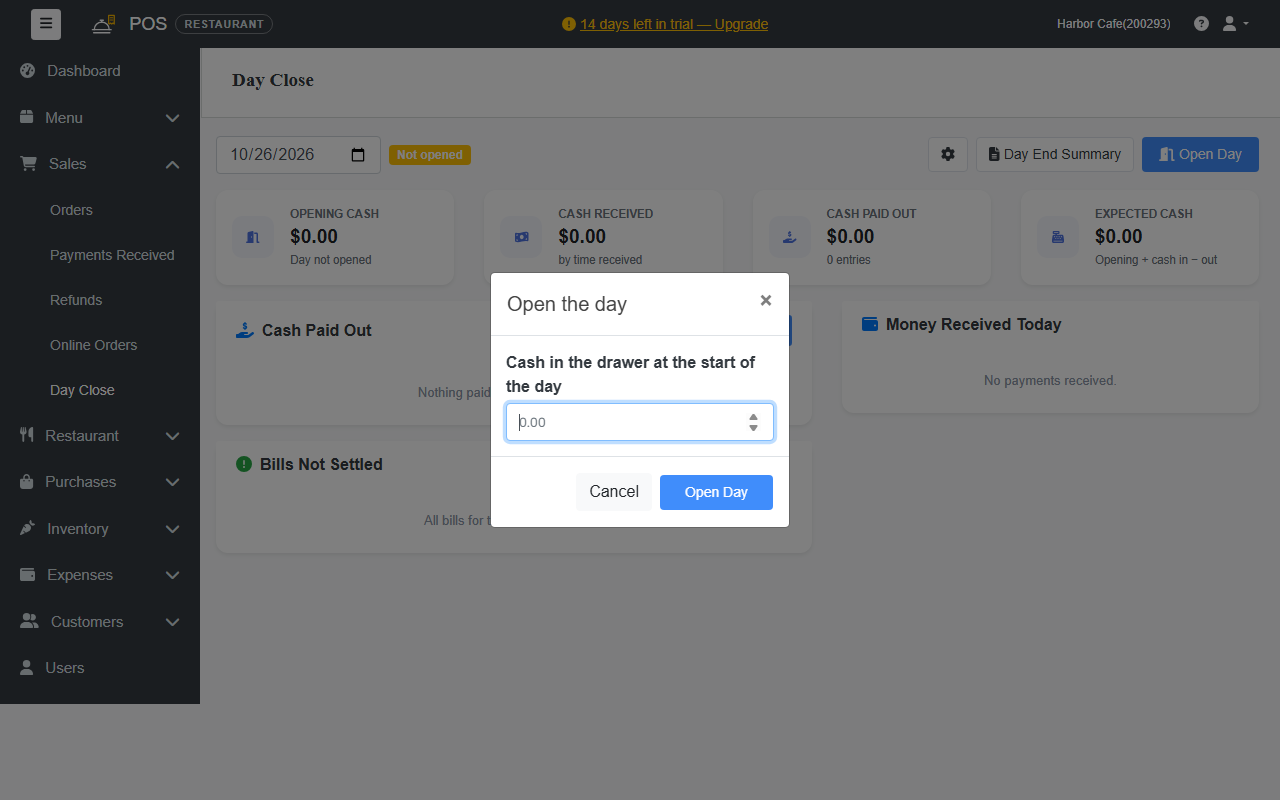
- Go to Sales › Day Close and click Open Day. You can also click Open Day on the reminder at the bottom left of the billing screen.
- Enter the Cash in the drawer at the start of the day.
- Click Open Day.
During the day
The Day Close page keeps a running total:
| Box | Shows |
|---|---|
| Opening Cash | What was in the drawer when you opened the day. |
| Cash Received | Cash payments taken so far. |
| Cash Paid Out | Cash taken out of the drawer, for example to pay a supplier. |
| Expected Cash | What should be in the drawer now: opening + cash in − cash out. |
To record cash taken out, click + Add under Cash Paid Out and enter the amount and what it was for.
Money Received Today lists every payment by method, and Bills Not Settled lists bills that are still open.
Close the day
- Settle or cancel the bills under Bills Not Settled.
- Click Close Day.
- Count all the cash in the drawer and enter it. You can count by note and coin.
- Click Close Day.
The page shows the Counted cash and the Difference from the expected cash: short, over or exact.
Day End Summary
Click Day End Summary for the full day on one page: sales, payments by method, cash count, cancellations and refunds. You can print it. The summary and past days' history are part of the Standard plan and above.
To have the summary emailed to admins when the day is closed, turn on Day summary email in Settings › Day Close Settings.
Made a mistake?
An admin can click Reopen Day to open a closed day again, fix it, and close it again. Every open, close and reopen is kept in the day's history.
Look back at a past day
Pick the date at the top left of the Day Close page.