 Ellibo POSRESTAURANT
DiningOrdersKOT
OliveTree Restaurant (100037)
 Margherita Pizza
 Chicken Burger
 Crispy Fries
 Chicken Biryani
 Tandoori Chicken
 Veg Momos
 Garlic Bread
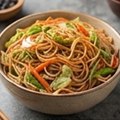 Veg Noodles
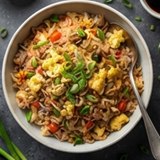 Egg Fried Rice
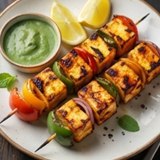 Paneer Tikka
 Veg Burger
 Cappuccino
 Banana Cake
 Choco Shake
 Cola
 5
 Second Floor
Payments Collected
Trusted by restaurants and cafes worldwide













Operational Excellence
Run your POS on any device, with zero hardware lock-in. Ellibo POS works seamlessly across all major browsers and devices. Say goodbye to expensive proprietary hardware and rigid, long-term contracts. Our POS designed for the heat of the kitchen and the speed of the front-of-house.
Faster Billing
Handle rushes with ease. Our optimized checkout flow ensures no customer is kept waiting.
Live KOT Tracking
Instant kitchen communication. Orders move from table to chef in under 200ms.
Real-time Analytics
Monitor sales, inventory, and daily operations from anywhere in the world.
Experience the fast blaze touch screen
Ellibo POS works seamlessly on PCs, laptops, tablets, and all major browsers across every platform. No heavy installations required—just log in and start selling.
Ellibo POS
DiningOrdersKOT
OliveTree Restaurant (100037)
Margherita PizzaChicken BurgerCrispy FriesChicken BiryaniTandoori ChickenVeg MomosGarlic BreadVeg NoodlesEgg Fried RicePaneer TikkaVeg BurgerCappuccinoBanana CakeChoco ShakeCola5Second FloorKitchen Display for the heat of the Kitchen
Real-time KOTs from POS to kitchen — track pending, cooking, and ready orders, with instant cancellation alerts.
Ellibo POSOliveTree Restaurant(100037) ▾OliveTree RestaurantKITCHEN
Order ready · waiter notified for Table 5Fast and 3-click Restaurant Billing Software
Take orders, generate KOTs, and create bills in just a few clicks. Accept payments with flexible options, including split bills, while effortlessly applying discounts and coupons. Ellibo Restaurant POS streamlines your billing process, helping you serve customers faster and manage operations with ease.
- Multi-terminal billing
- Station-wise KOT printing
- Table and area management
- Move, merge and shift tables
- Kitchen Display screen per station
- Customizable bill format
- Supports 190+ currencies
- Advanced global taxes & discounts configuration

Table-Based Order Taking & Quick Billing
Serve customers faster with an intuitive table-based ordering system designed for busy restaurants. Manage dine-in tables with ease, create orders for delivery and pickup, and quickly add menu items from organized categories. Generate bills in seconds, apply discounts, split payments, and complete transactions seamlessly—all from a fast, user-friendly interface with Ellibo Restaurant POS.
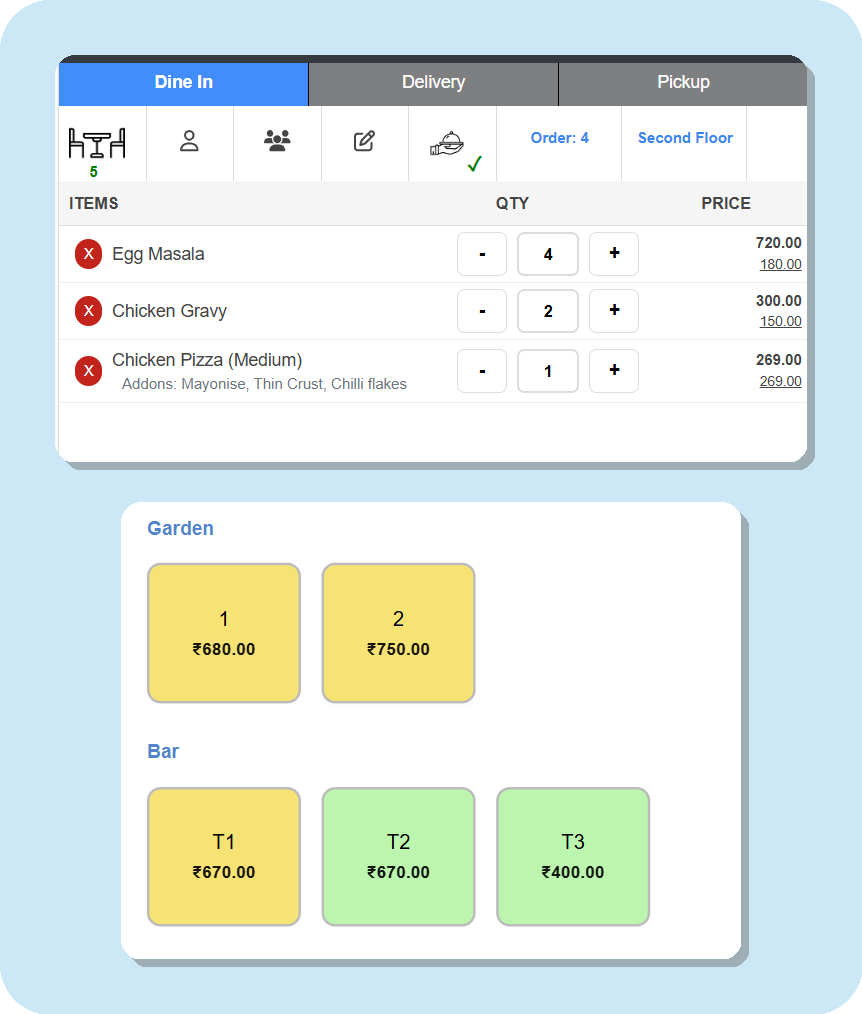
Move, Merge and Shift Tables in Two Taps
Guests change their minds. Move a running order to a free table, shift a few dishes to another table, or merge two tables into one bill. The kitchen keeps cooking: nothing is sent twice, and the cooks get a slip with the new table, so food reaches the right guests.
- Move Table, Move Items and Merge Table from the order screen
- Same dish on both tables becomes one line: Pepsi 4 + 1 = Pepsi 5
- "Moved from" kitchen slip and live table on the Kitchen Display
- Every bill number accounted for, guests counted once in reports
Happy Hours, Combo Meals and Favorites
Run a happy hour without changing a single price: set the days and times, and drinks (or anything you choose) go 20% off by themselves on the POS, on QR table orders and on your online store, then back to normal when it ends. Sell meal deals as combos, with the guest's choice of drink or side, and keep your best sellers one tap away in Favorites.
- Happy hour by day and time, for dine-in, pickup or delivery
- % off categories or products, or your own happy-hour prices
- Combos with choices; the kitchen ticket lists every item
- Stock and recipes come off each item in the combo
Know Who Did What: the Audit Trail
Every change to bills, payments, tables, prices and settings is recorded with the staff member's name and the time, and nobody can edit or delete it. Cancelled bills, items removed after the kitchen ticket, discounts given by hand and bills printed again are flagged in red, and the Exceptions by staff view shows who does them most.
- The full history of every bill, from first item to payment
- Exceptions by staff, with the money involved
- Price and settings changes, with the old and new value
- Export to Excel or PDF; owners only
Table Reservations, Online Booking and a Waitlist
Take bookings by phone or let guests book a table on your own booking page. Ellibo picks the smallest free table that seats them, marks it Reserved on the table view before they arrive, and emails the guest. When they walk in, one tap seats them and opens their order with the guest and party size filled in.
- Your own booking link for your website, Google profile and Instagram
- Confirm bookings yourself, or let them confirm automatically
- Reserved tables, no-shows and a walk-in waitlist with waiting times
- Booking, change, cancel and reminder emails to your guests
Fast & Accurate Kitchen Order Management
Speed up your kitchen operations with instant Kitchen Order Ticket (KOT) generation. Send orders directly to the kitchen and print KOT station-wise, organize items by preparation station, track order status in real time, and minimize communication errors. Improve coordination between your front-of-house and kitchen staff to deliver faster service and a better dining experience with Ellibo Restaurant POS.
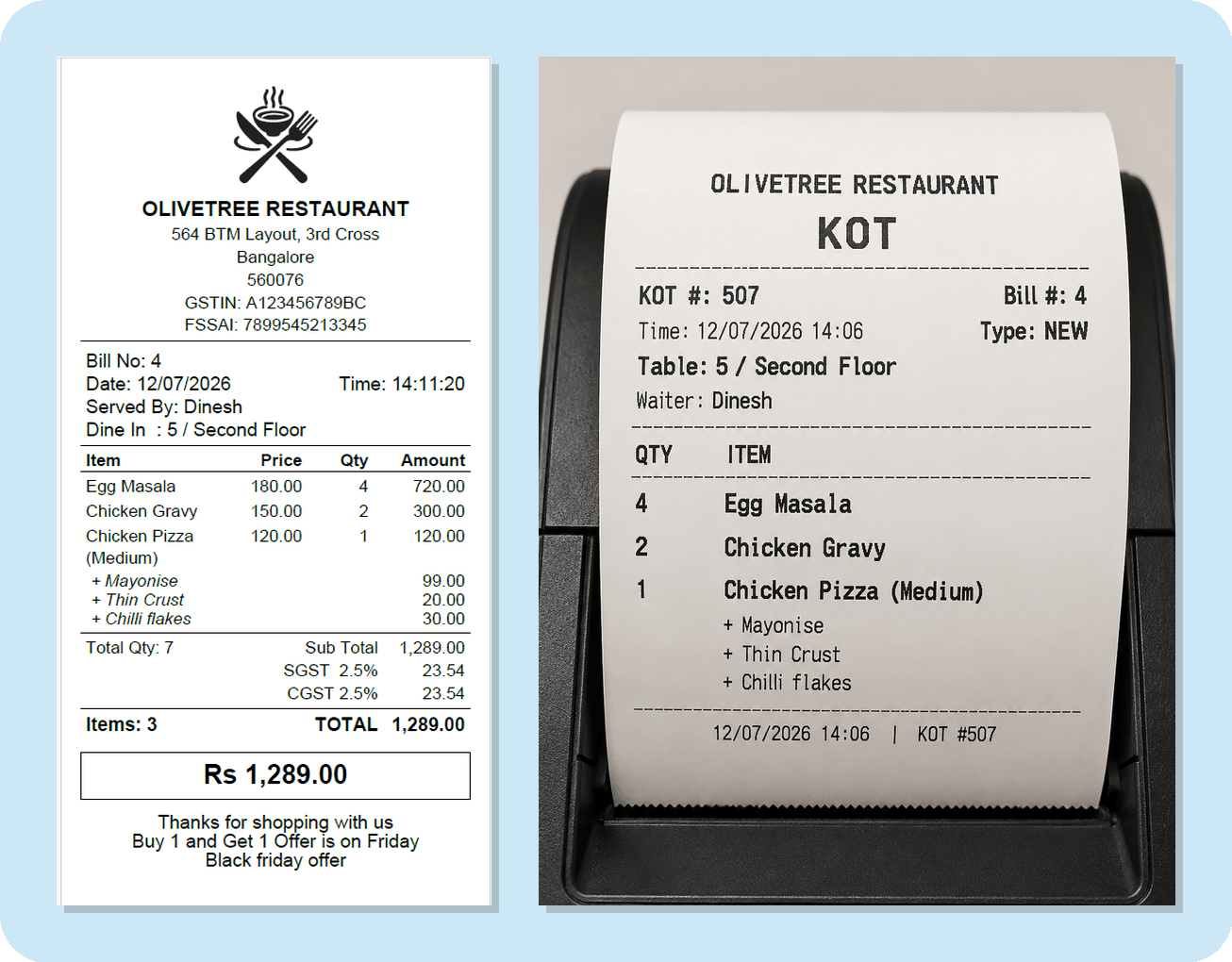
Kitchen Display System (KDS)
Replace paper tickets with a real-time Kitchen Display System that keeps your kitchen organized and efficient. Instantly display incoming orders, track preparation status, prioritize active tickets, and reduce missed or delayed orders. Improve communication between the front-of-house and kitchen staff, speed up food preparation, and deliver a smoother dining experience.
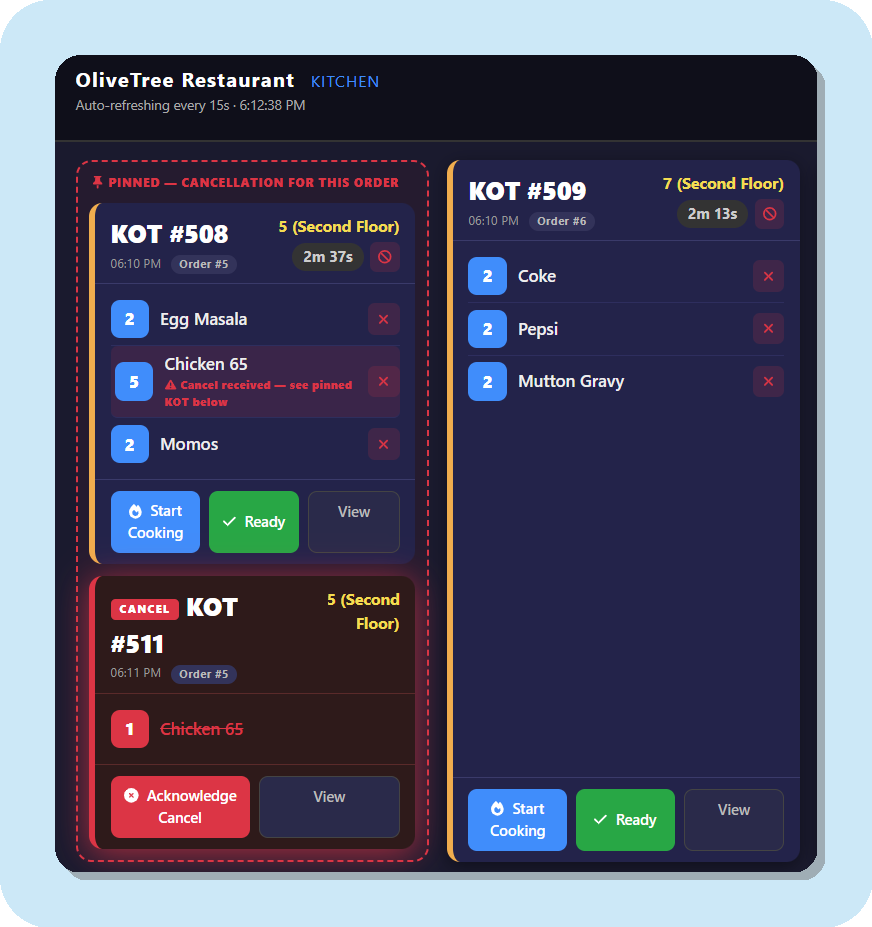
A Kitchen Screen for Every Station
Give the grill, the bar and the dessert counter their own Kitchen Display. Each screen shows only its own dishes from every ticket, and each team marks them Cooking and Ready. The ticket turns Ready for your waiters the moment every station has finished.
- Name your stations: Grill, Bar, Desserts and more
- Each screen shows and updates only its own items
- One clear status for the whole ticket on the POS
- Kitchen-removed items marked CANCELLED on reprinted slips
Smart Restaurant Inventory Management
Manage your inventory with confidence using automated item-wise stock deduction. Receive low-stock alerts, track inventory in real time, and access comprehensive day-end inventory reports—all from a single, easy-to-use dashboard with Ellibo Restaurant POS.
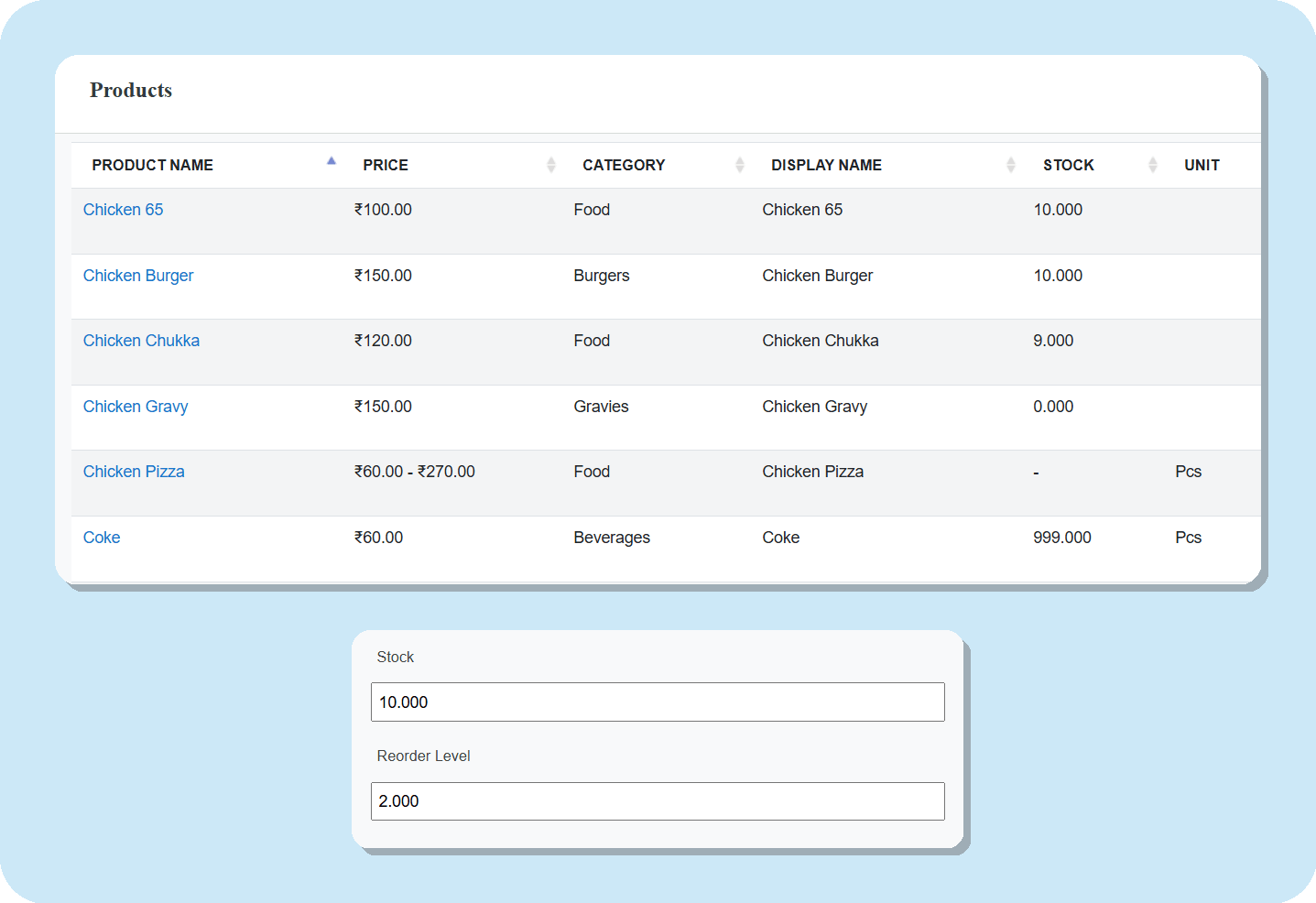
Raw Material & Recipe Management
Know exactly what every dish uses. Set a recipe once — 200 g paneer, 30 ml oil, a slice of cheese — and every time the dish is sold, Ellibo Restaurant POS deducts the ingredients automatically. Variations like Half and Full get their own recipes, and add-ons such as Extra Cheese deduct their own ingredients too.
Buy raw materials on your usual purchase screen, in bags, tins or crates, and stock updates at the right cost. Cancelled or returned dishes go back to stock or are recorded as wastage — your choice. Billing is never blocked when an ingredient runs low.
- Recipes per dish, per variation and per add-on
- Automatic ingredient deduction on every order
- Food cost per plate and food-cost %
- Wastage, physical stock count and variance
- Low-stock alerts and stock value at average cost
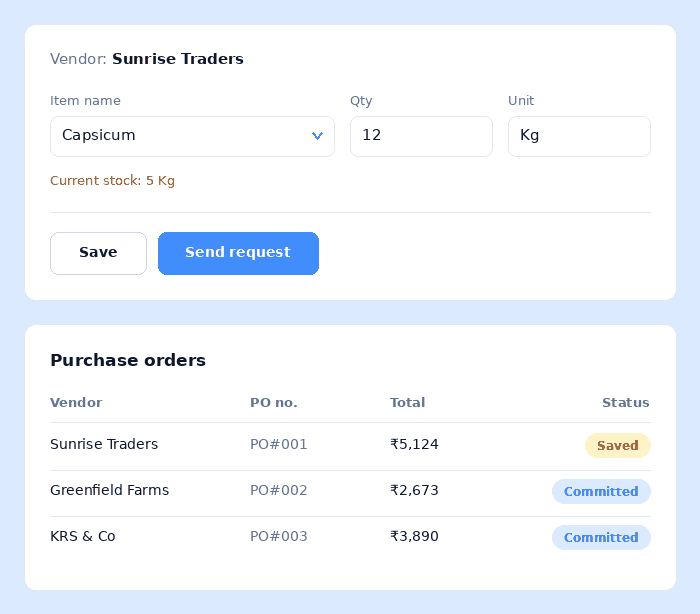
Simplified Purchase Order Management
Create, manage, and track purchase orders effortlessly from a single dashboard. Generate purchase orders, record supplier deliveries, and maintain a complete purchase history with ease. Monitor frequently ordered items for each supplier, streamline stock replenishment, and ensure every outlet stays well stocked with accurate inventory and purchasing records using Ellibo Restaurant POS.
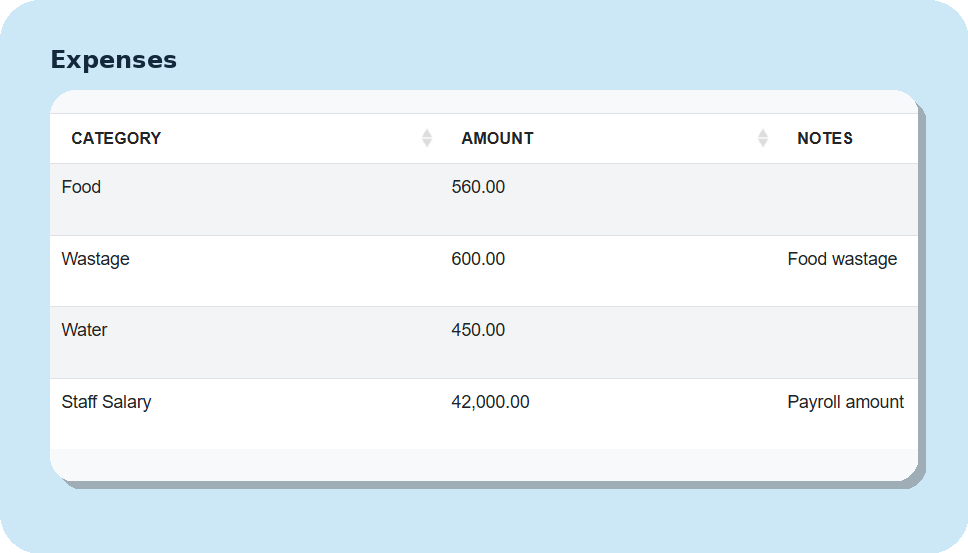
Effortless Expense Management
Record and categorize business expenses in just a few clicks. Track operational costs, monitor spending across outlets, and maintain complete expense records from a single dashboard. Generate detailed expense reports to gain better financial insights and make informed business decisions with Ellibo Restaurant POS.
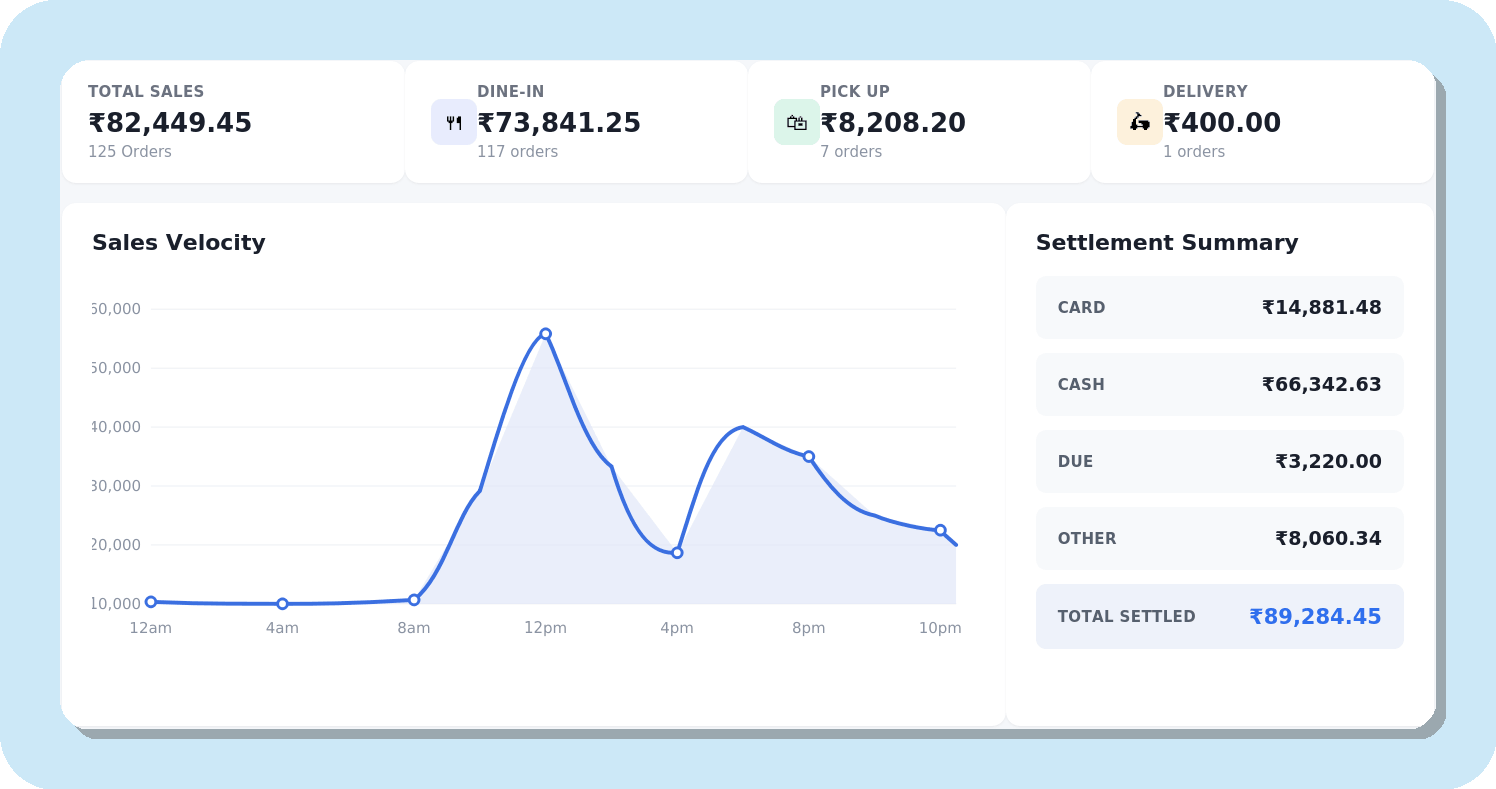
Real-time Restaurant Reports
Gain complete visibility into your restaurant's performance with automated, paperless reporting. Ellibo Restaurant POS tracks your daily business activities in real time and generates accurate, easy-to-understand reports for sales, expenses, purchases, kitchen orders (KOT), inventory, payments, taxes, profits, and more. Make faster, data-driven decisions with comprehensive business insights—all from a single dashboard.
- A live dashboard: tables in use, open orders, kitchen tickets and today's bookings
- Every number compared with the period before, and gross profit for owners
- Item-wise sales and profit, discounts, staff performance and your busiest hours
- A sales register and tax summaries for your accountant, in Excel or PDF
- Customers, refunds, happy hour and combo sales, stock value and what you owe vendors
- Menu engineering (stars, plowhorses, puzzles and dogs), kitchen prep times, tables and waiters
Ready to transform your restaurant?
Join Ellibo today as thousands of outlets already using our POS to power their daily operations.