
Multi-currency
Bill customers and pay suppliers in their own currency. Ellibo keeps your books in your home currency, with the exchange rate on every document.
Multi-currency is part of the Standard plan and above.
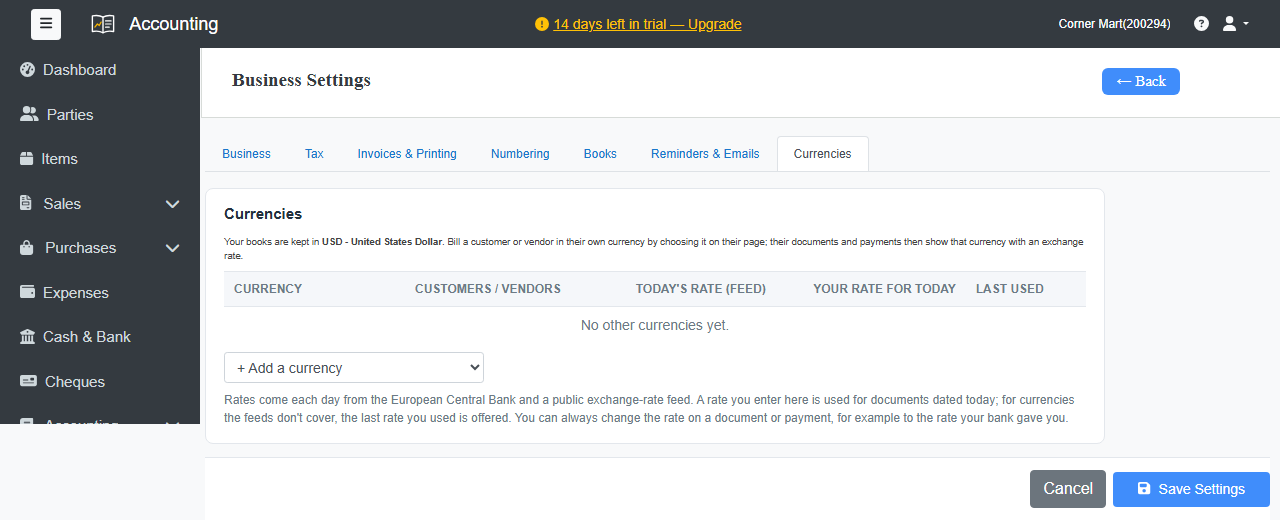
Add a currency
- Go to Settings › Business Settings › Currencies.
- Choose a currency from + Add a currency.
- Click Save Settings.
Exchange rates arrive every day from the European Central Bank and a public exchange-rate feed. You can enter your own rate for today, and for currencies the feeds don't cover, the last rate you used is offered.
Bill a party in their currency
Open the customer or supplier, choose their Currency under Balance & Credit, and save. From then on, their invoices, bills and payments are in that currency, with the exchange rate shown. You can change the rate on any document or payment, for example to the rate your bank gave you.
Your reports stay in your home currency.
Exchange gains and losses
When a customer pays at a different rate from the invoice, Ellibo records the difference as an exchange gain or loss automatically.
Currency revaluation
At the end of a period, you can revalue open foreign-currency balances at the current rate. When you have balances in other currencies, Accounting › Currency Revaluation appears in the menu. Preview the result, then save it as a journal entry.