
Record payments received
Record money a customer pays you and settle it against their open invoices, in full or in part.
Record a payment
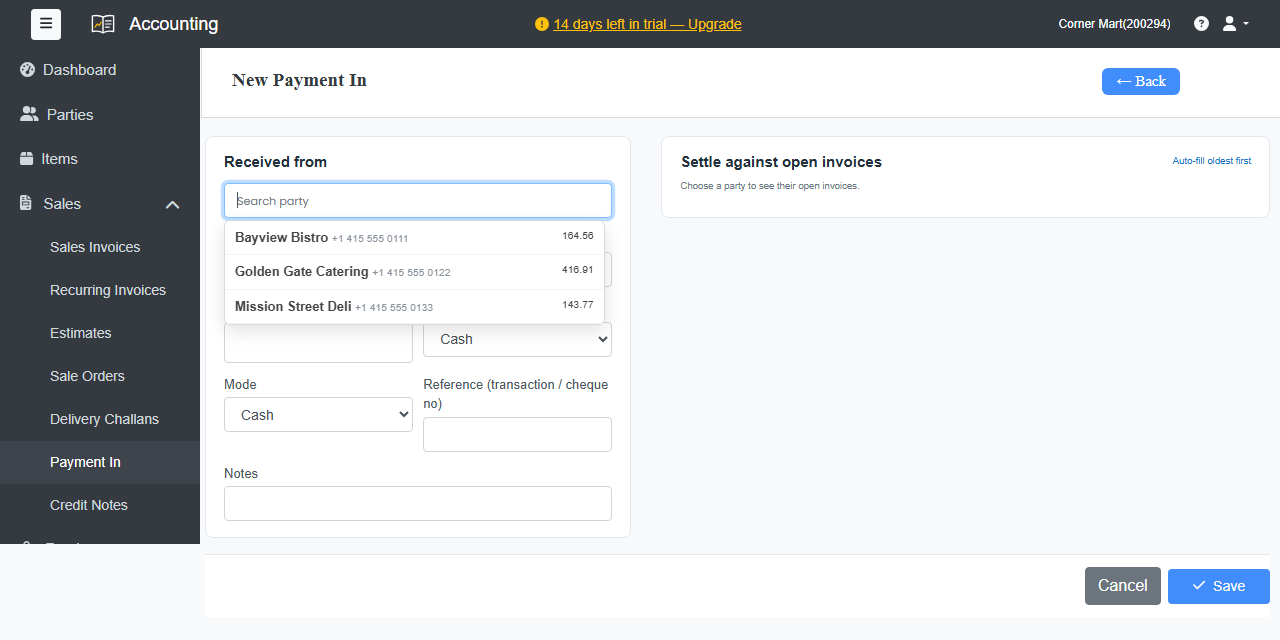
- Go to Sales › Payment In and click + New Payment In. You can also click Receive Payment on an invoice or on the customer's page.
- Under Received from, pick the customer. Their open invoices appear on the right under Settle against open invoices.
- Enter the Amount and Date, choose where the money went, such as cash or a bank account, and choose the Mode.
- Add a Reference such as the transaction or cheque number, and Notes if you like.
- Settle the payment against invoices. Enter an amount against each invoice, or click Auto-fill oldest first.
- Click Save.
Each invoice updates to paid or partly paid. Money not settled against an invoice is kept on the customer's account as an advance, and you can settle it against a later invoice.
Payments by cheque
Choose Cheque as the mode and enter the cheque's date and bank. The cheque waits under Cheques until you mark it as cleared or bounced.
Online payments
Let customers pay online with a Pay now link on the invoice. Payments are recorded for you. See Online payments.