
Add leads
Capture an enquiry in a few seconds, from a call, a walk-in, WhatsApp or your website, so nobody slips through.
A lead is someone who has shown interest but isn't a customer yet.
Add a lead
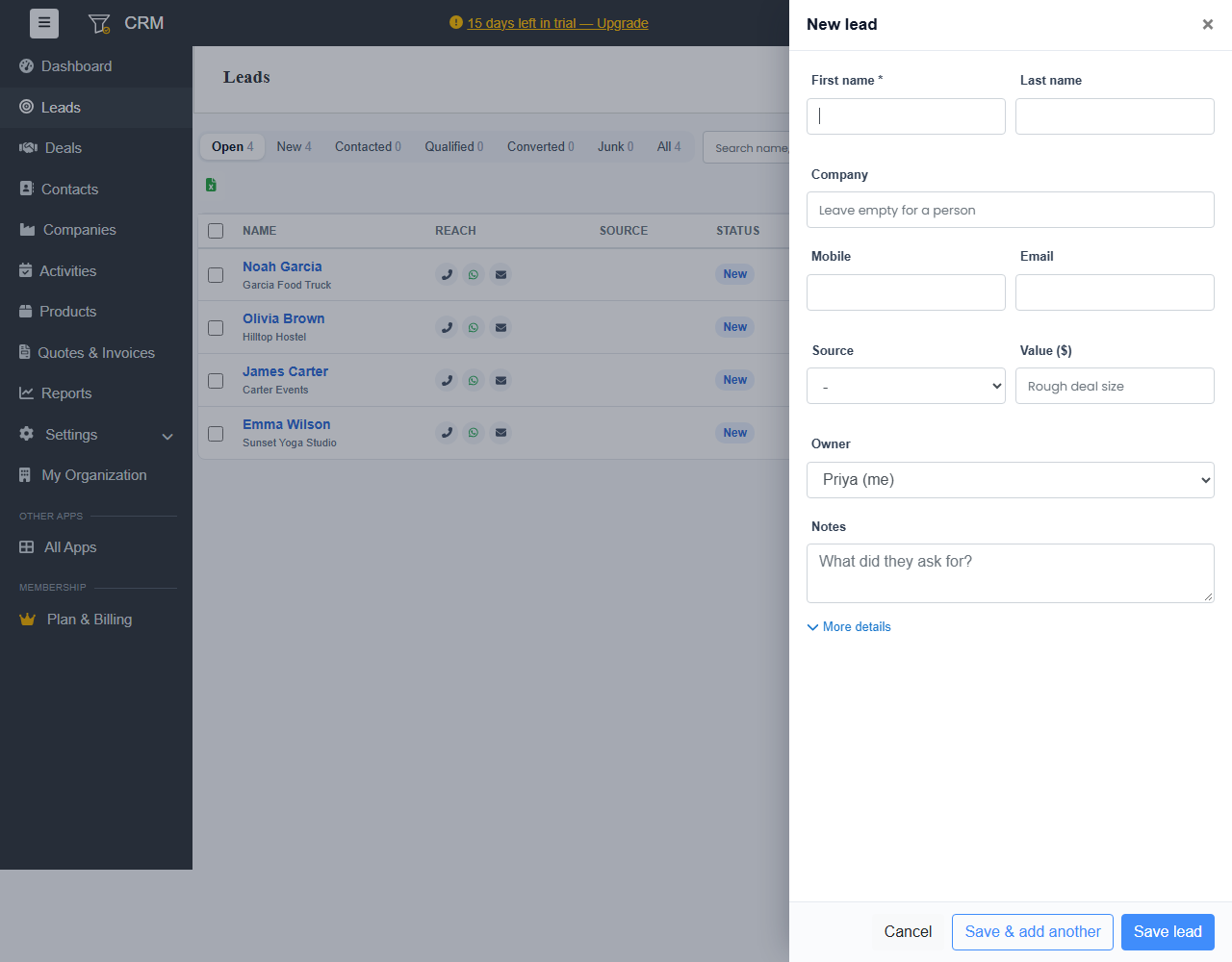
- Go to Leads and click + New lead, or use + in the top bar.
- Enter the First name and Last name. For a business, enter the Company. Leave it empty for a person.
- Enter their Mobile and Email.
- Choose the Source, such as Walk-in or Website, and a rough Value of the business.
- Choose the Owner: the person who will follow up. With assignment rules, choose Auto-assign (assignment rules).
- Under Notes, write what they asked for.
- Click Save lead, or Save & add another.
Click More details for the address, website, title and your own custom fields.
Duplicates
If the mobile number or email already belongs to a lead or contact, Ellibo tells you before saving, so you don't add the same person twice.
Work your leads
The Leads list filters by status: Open, New, Contacted, Qualified, Converted and Junk. Use the icons under Reach to call, WhatsApp or email in one tap. Save the filters you use often as a view, and choose your columns. See Saved views, sales targets and the calendar.
With lead scoring, the Score column shows who is Hot, Warm or Cold. Click the Score heading to see the best leads first.
Open a lead to (see Work on a lead, deal or contact):
- Email them
- add Tags and notes
- plan a follow-up
- Convert them into a customer and a deal. See Convert a lead.
Not a real enquiry? Set the status to Junk.