
Fix payment problems
Keys not accepted, a customer paid but the invoice is still unpaid, a gateway missing from the pay page, webhooks not arriving - what each message means and how to fix it.
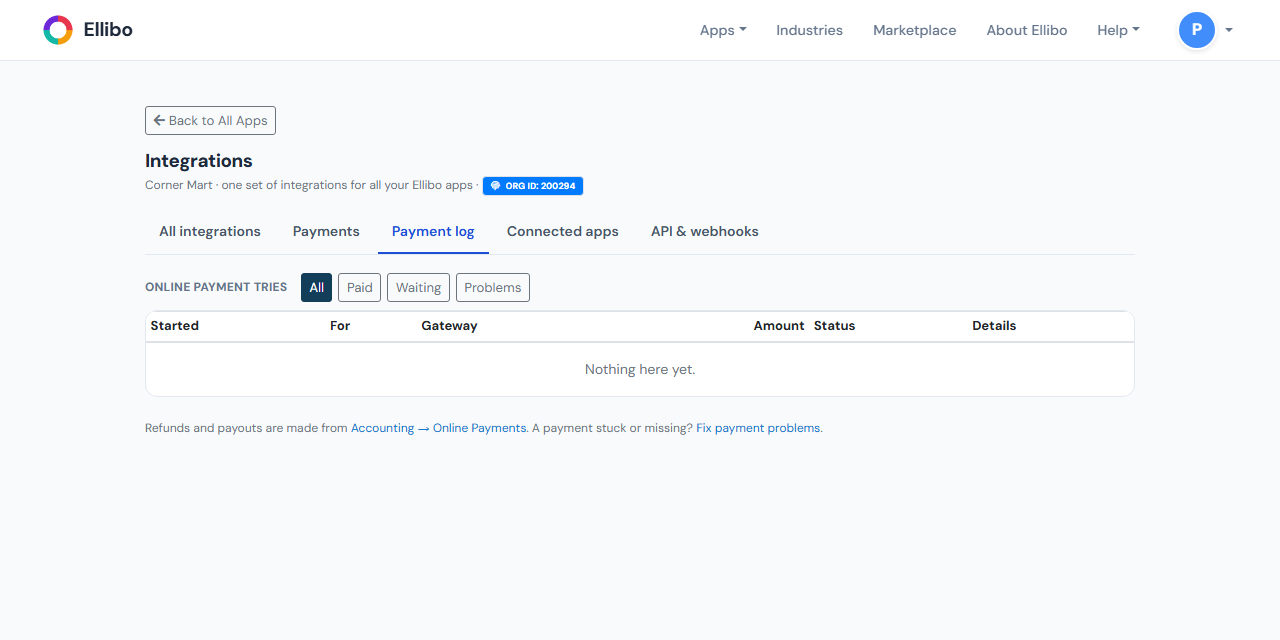
Start on Settings › Integrations. A red box at the top shows any gateway that had a problem in the last three days, with the gateway's own message. The Payment log tab lists every payment attempt; use Problems to see only the ones that went wrong.
When you connect
| What you see | Why | Fix |
|---|---|---|
| … did not accept this key (box turns red) | The key is wrong, was copied with a space, or was regenerated at the gateway. | Copy it again from the gateway's dashboard. Use the Copy button there rather than selecting the text. |
| It starts with … | You pasted the wrong key - for example Stripe's Publishable key instead of the Secret key. | Check the line under the box: it says which key, and how it starts. |
| Connected in Test mode but you wanted live | You pasted test or sandbox keys, or chose Test in Account type. | Open Keys, paste the live keys, set Account type to Live, and Save. |
| Could not reach … Please try again | The gateway didn't answer in time. | Wait a minute and try again. Check the gateway's status page. |
| The page had expired | The page was open for a long time. | Reload the page and connect again. |
A customer paid, but the invoice still shows unpaid
- Open the invoice. If the customer started a payment, Check payment shows next to Copy link. Click it: Ellibo asks the gateway straight away.
- Or go to Accounting › Online Payments and click Check for new payments.
Still nothing? Look in the Payment log:
- Waiting - the customer opened the gateway's page but didn't finish, or the payment is still being confirmed (bank transfers and Direct Debit can take a day or two).
- Problems - the message says what went wrong, for example the amount paid didn't match.
- Check in the gateway's dashboard that the payment really succeeded. Look for the reference starting with FM - that's Ellibo's reference for the payment.
- If the gateway shows it paid and Ellibo still doesn't, record the payment by hand in Accounting (Payment In, into the gateway's Clearing account) and tell support, with the FM reference.
Add the gateway's webhook (see Set up online payments). Without one, payments are found when the customer returns to the pay page, or by the hourly check.
A gateway doesn't show on the pay page
Check each of these on Integrations › Payments:
- It's On - not Switched off.
- Offer it for includes Invoice and document pay links (or POS bills and dues for POS).
- Only these currencies is blank or includes the invoice's currency.
- Up to amount is blank or above the invoice's amount due.
- The gateway takes that currency at all. For example Square only takes USD, CAD, GBP, EUR, AUD and JPY.
If no gateway fits, the pay page says Online payment is not available for this invoice.
Webhooks
| What you see | Fix |
|---|---|
| Webhook URL: Not set up (Razorpay or Stripe) | Add the webhook at the gateway, then paste its secret in Keys › Webhook secret. |
| Last webhook never changes | Check the address at the gateway is exactly the one under Webhook URL (use Copy), and that it's added in the same mode (test or live) as your keys. |
| Webhook shows an error in Payment log › Latest webhooks | Usually a wrong webhook secret. Copy the secret from the gateway again and paste it into Keys. |
Refunds
| What you see | Fix |
|---|---|
| No Refund button | You need permission to refund, or the payment is already fully refunded. |
| The gateway of this payment is no longer connected | Refund it in the gateway's dashboard, then record a Payment Out to the customer in Accounting. |
| The gateway refused the refund | Usually not enough balance at the gateway, or the payment is too old. The gateway's message says which. Nothing is recorded in Ellibo until the refund succeeds. |
Bank transfer
| What you see | Fix |
|---|---|
| Choose the bank account these payments reach | Pick the account in your books that matches your bank details. |
| A customer says they paid but you can't find it | Click Not received. The invoice stays unpaid. Ask the customer for a screenshot of the payment. |
Still stuck?
Contact support. Tell us the invoice number, the gateway, and the FM reference from the Payment log.