
Connect QuickBooks Online
Send your Ellibo customers, sales invoices and payments to QuickBooks Online automatically, so your accountant can keep working in QuickBooks - connect, check the first sync, and fix common problems.
With QuickBooks Online connected, new sales invoices (with their customers) are sent to QuickBooks every 15 minutes, and optionally the payments against them. You keep invoicing in Ellibo; your accountant keeps working in QuickBooks.
Before you start
- A QuickBooks Online company.
- You must be the primary admin or a company admin in QuickBooks. Other users see You need admin permissions to connect this app.
Step 1: Connect
- Open Settings › Integrations › Connected apps.
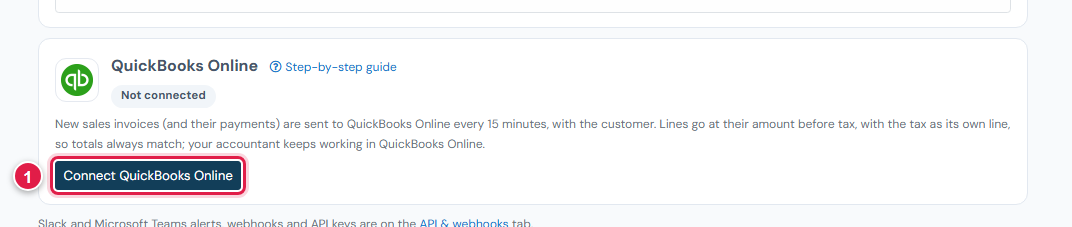
- On QuickBooks Online, click Connect QuickBooks Online (1).
- Sign in to Intuit, choose your company (if you have more than one), and click Connect.
- You come back to Ellibo, and QuickBooks shows Connected.
See "QuickBooks Online is being switched on for Ellibo"?
The QuickBooks connection isn't open for your account yet. Try again later, or contact support.
Tick Send payments too if you also want payment receipts sent, and click Save.
What is sent, and how
- From the day you connect. Earlier invoices are not sent.
- Customers are added as QuickBooks customers, named Customer name (Ellibo number) so names never clash.
- Invoices keep your Ellibo invoice number and date.
- Ellibo creates one service item called Ellibo sales, linked to your first income account. Each invoice line uses it, at its amount before tax.
- Tax and round-off go as one extra line, so the totals always match Ellibo. Ask your accountant whether to change the Ellibo sales item's income account, and how they want the tax line treated.
- Payments (if ticked) are linked to their invoice.
- Each invoice and payment is sent once. If you edit an invoice in Ellibo after it was sent, change it in QuickBooks too.
Check the first sync
- Click Sync now, then open Recent activity.
- In QuickBooks, open Sales › Invoices and find them by number.
If something goes wrong
| Problem | Fix |
|---|---|
| The connection has expired - connect QuickBooks Online again | Intuit ended the connection (unused for a long time, or removed in QuickBooks). Click Disconnect, then connect again. |
| You need admin permissions | Ask the QuickBooks primary admin to connect. |
| could not make the "Ellibo sales" item | Your QuickBooks company has no income account. Add one, then Sync now. |
| Invoice numbers cut short in QuickBooks | QuickBooks allows invoice numbers up to 21 characters, so longer ones are shortened. Use a shorter numbering prefix in Ellibo. |